Online bookings and reservations in the Travel category
Smart bookings give you an overview of the dates your customers are applying for. Reservations are under your control in your interface, in the booking system Termino, (Create, register and set up Termino-travel) or in supported external booking systems. The advantage is that once the reservation is created, the voucher will redeem itself a few hours after booking or upon arrival. During the arrival of the customer, you can then really focus on them and not on redeeming the voucher.
The booking can be created in the Slevomat partner interface, in the booking system Termino, or in external booking systems such as Previo/Mevris/Bookolo/Plazaro/Profitroom.
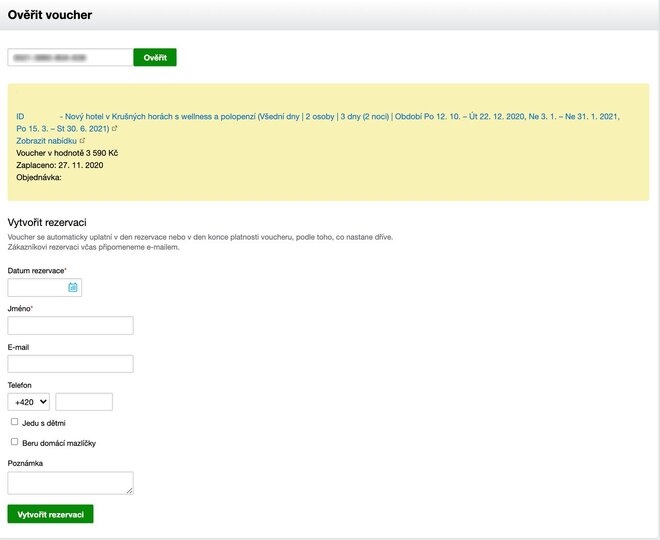
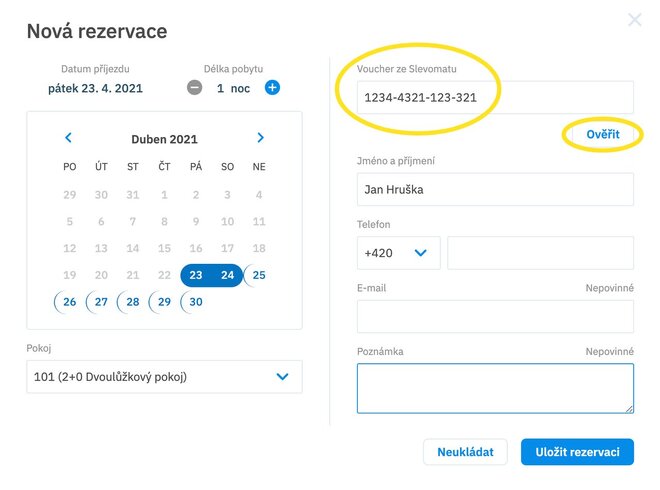
Enter the voucher code in the "Verify voucher" field and then create a reservation.
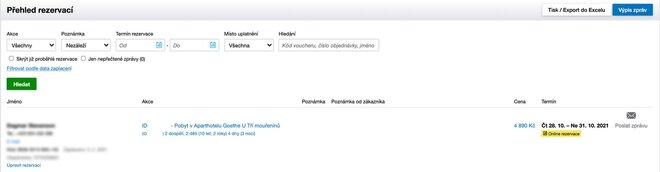
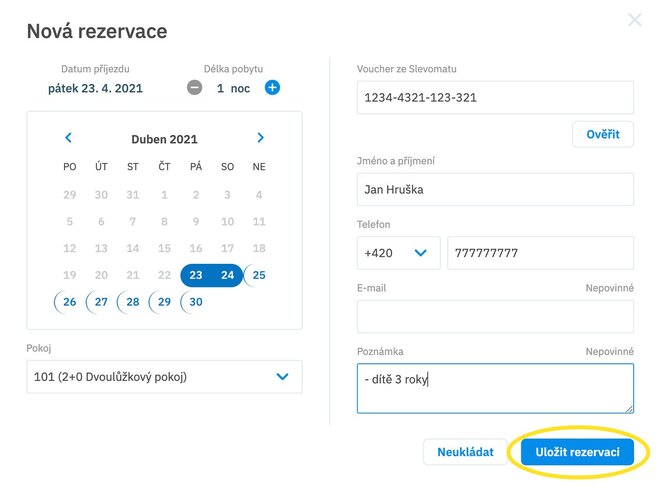
Once you have saved your reservation, everything will automatically be reflected in the Reservation Overview, where you can return to it and edit it at any time.
Please note: If you create a booking in the partner interface, the booking will not appear in Termino. If you need to view the booking in Termino, you will need to create it directly in Termino.
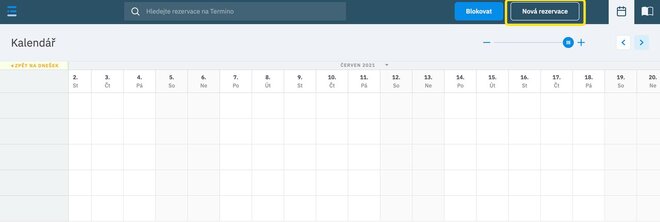
When you create a booking in the partner interface, the booking will not be transferred to any external system either. If you are using Termino, we recommend that you create reservations from an open voucher directly in Termino, as this will block your capacity directly
Open stay vouchers can only be redeemed by creating a reservation.
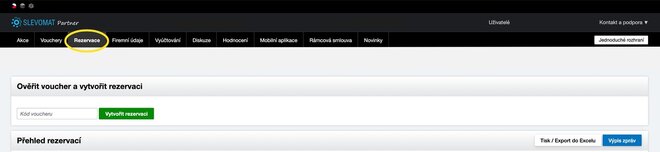
You will then also find the reservation in the partner interface under the "Reservations" tab.
You can, of course, modify or cancel your reservation completely. In this case, the voucher will not be applied. If the customer cancels the reservation, it is important that you also cancel it in the partner interface.
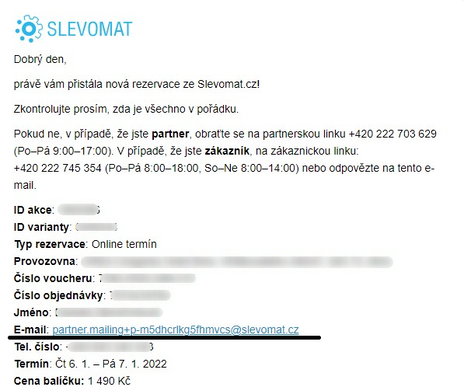
We have added a temporary email to online bookings that you can use to contact the guest.
This email is active from the moment the guest creates the reservation and expires 1 month after the guest uses the stay. So you don't have to worry about not being able to contact the guest after using the voucher.
You will find this information in the booking confirmation that we send to your email and in the booking details in Terminus. The email can be clicked through and will take you directly to your email account.
Vouchers are only available to customers who have already paid. Each voucher has its own validity and therefore a period of time for which it can be used. The possibility of using the service and capacity must be provided until the end of the voucher validity.
Stay vouchers are always applied automatically after the reservation has been made and the client has started their stay.
Booking system Termino
All vouchers purchased according to your availability for a specific date will be automatically redeemed 36 hours after the start of your stay and you do not have to deal with anything. If you want to find them in your interface, you can find them in the "Reservations" tab.
The same applies to open vouchers (vouchers that are not purchased for a specific date, because the customer does not yet know when they will use the voucher). Once the date has been agreed with the customer, simply create a new booking in
Termino.eu and the voucher will be automatically entered into the partner interface, where it will then be automatically redeemed 36 hours after the start of the stay
The voucher is automatically redeemed 36 hours after the booking, so you do not have to return to the interface and save time. Of course, you can modify or cancel your reservation completely. In this case, the voucher will not be applied. If the customer cancels the reservation, it is important that you cancel it in the partner interface.